Segmentation by Interactions with Entities
This section contains rules for segmenting profiles based on their interactions with various functional entities of the Altcraft platform, such as automation scenarios, forms, popups, segments, and loyalty programs.
Scenarios
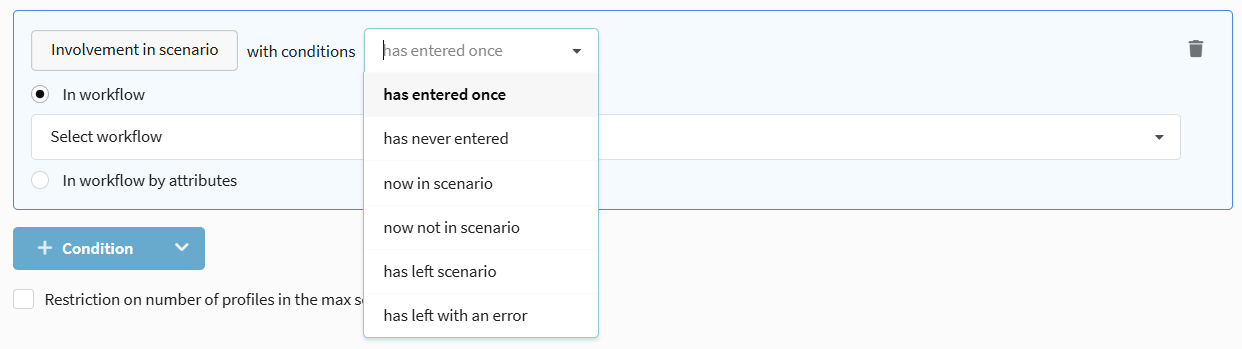
Segmentation by participation in automation scenarios. Allows selecting profiles that are in a scenario, have completed it, or exited with an error.
Available operators:
- has entered once — the profile has ever participated in the selected scenario.
- has never entered — the profile has never participated in the selected scenario.
- now in scenario — the profile is currently active in the scenario.
- now not in scenario — the profile is currently not active in the scenario.
- has left scenario — the profile successfully completed the scenario.
- has left with an error — the profile exited the scenario due to an error.
Segments
Selection of profiles based on their participation in other segments (dynamic or static). Allows creating complex multi-level selections.
Participation in a Dynamic Segment
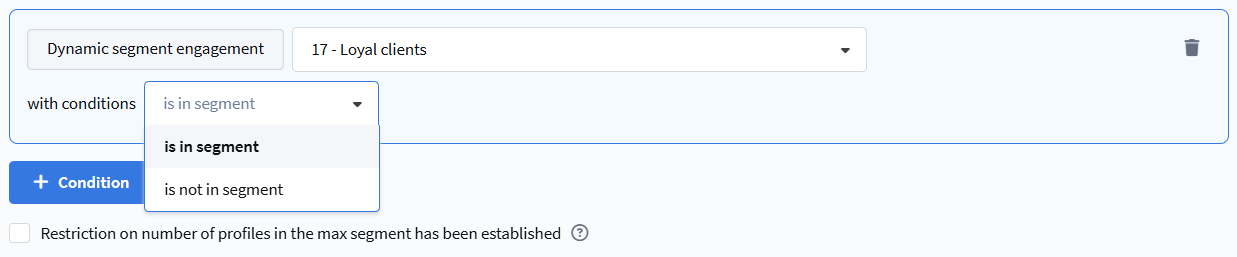
The rule checks whether a profile is included in the calculation result of another dynamic segment.
Available operators:
- Is in segment — the profile is included in the selected dynamic segment.
- Is not in segment — the profile is not included in the selected dynamic segment.
Try to avoid the Is not in segment operator for large selections, as such a rule consumes significant system resources for comparing data arrays.
The dynamic segment for selection must be configured for the same database as the current segment.
Participation in a Static Segment
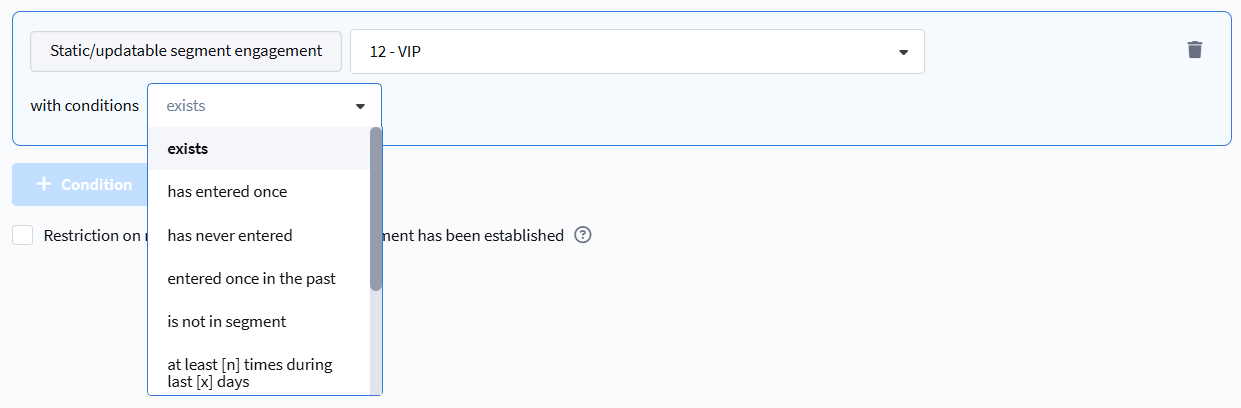
The rule checks whether a profile is in a static segment (control group) or has ever been in it.
Available operators:
- exists — the profile is currently in the static segment.
- has entered once — the profile has ever been in this segment.
- has never entered — the profile has never been in this segment.
- entered once in the past — the profile is currently not in the segment but was in it previously.
- is not in segment — the profile is currently not included in the segment.
- entered at least [n] times during [x] days — the profile entered the segment the specified number of times in the last X days.
- entered at least [n] times during period — the profile entered the segment the specified number of times in the selected period.
- never entered during [x] days — the profile has not entered the segment in the last X days.
- never entered during period — the profile has not entered the segment in the selected period.
Popup Behavior
Segmentation based on user interaction with popups on your website.
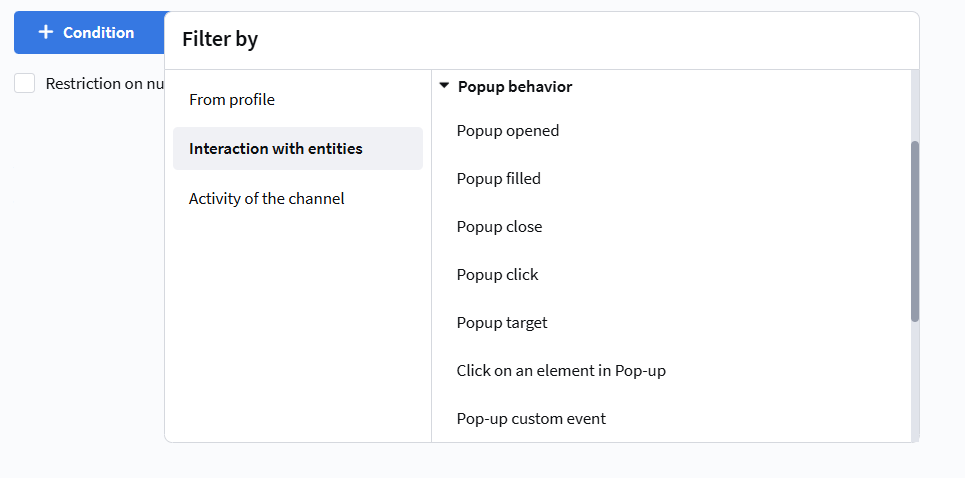
Available events for selection:
- Pop-up opened — the popup was shown to the user.
- Pop-up filling — the form in the popup was successfully filled and submitted.
- Pop-up closed — the user closed the popup (click on the "Close" button).
- Click on pop-up — click on any element of the popup, except the close button.
- Pop-up target — the conditions for showing the popup were met (even if it wasn't shown due to limits).
- Click on an element in Pop-up — click on a specific HTML element with a given
nameattribute. - Pop-up custom event — an event configured via JavaScript code.
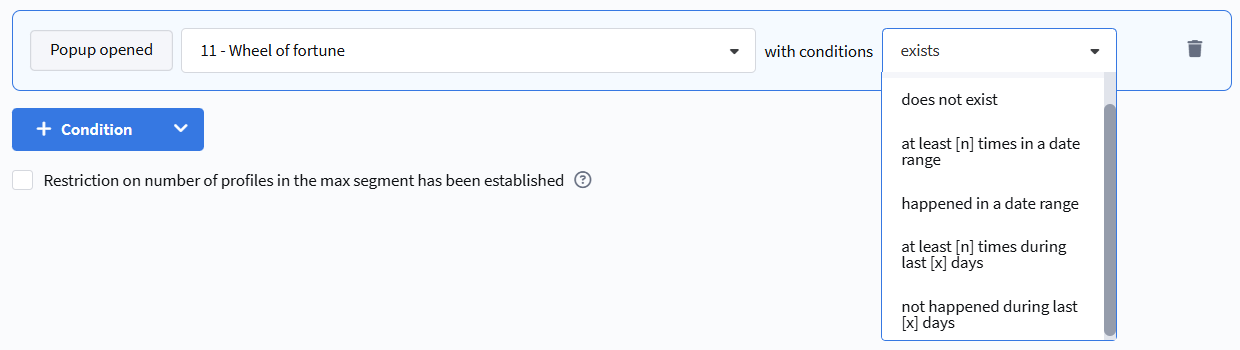
Available selection conditions:
- Exists — the event was registered at least once.
- Does not exist — the event was never registered.
- At least [n] times in a date range — the event occurred at least N times during the specified period.
- Not happened in a date range — the event did not occur during the specified period.
- At least [n] times during [x] days — the event occurred at least N times in the last X days.
- Not happened during last [x] days — the event did not occur in the last X days.
Loyalty
Promo code
Segmentation by participation in loyalty programs using promo codes.
Available operators:
- Assigned / not assigned — selection of subscribers to whom a promo code was assigned by a loyalty program (manually or automatically).
- Activated / not activated — selection based on the fact of promo code activation (for example, when making a purchase).
Loyalty Programs
Profile segmentation can use data based on actions in loyalty programs.
Available selection conditions:
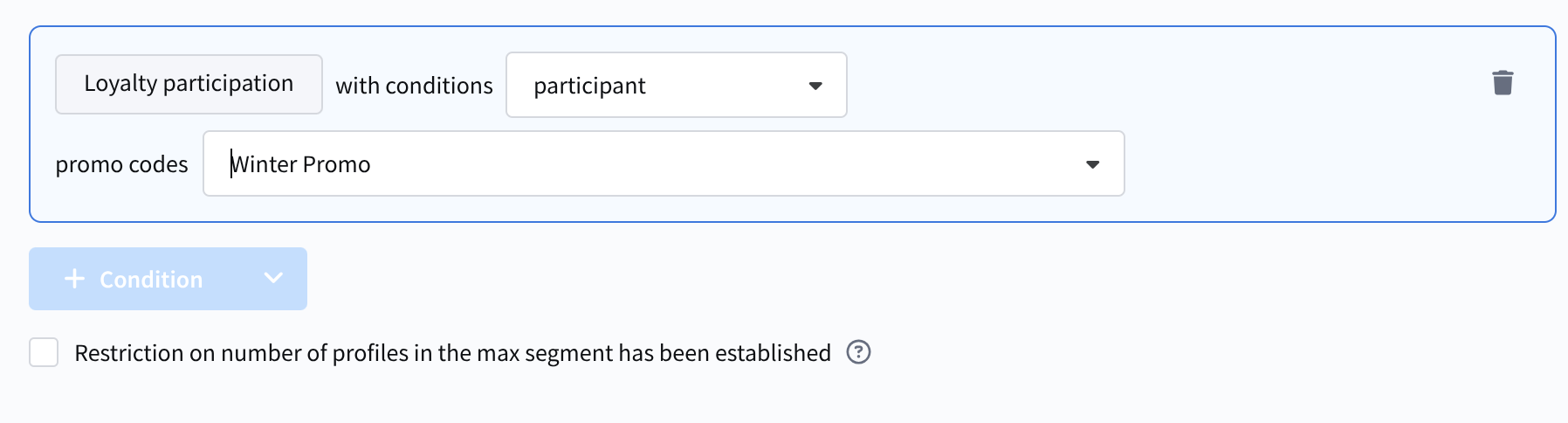
- Participation in a loyalty program — whether the profile is a participant in the selected loyalty program.
- Points balance on members' accounts — the number of points in the loyalty program.
- Points accrued in promotions.
- Points expiration in promotions.
Available operators:
- Member / Not a member.
- Points balance equal / not equal / is within points range.
- points amount from n to m within a period / points amount from n to m in the next x days.
- in the next x days / points amount from n to m in the next x days.
To configure these conditions, you may need to select a loyalty program, a promotion, a balance type (active/final), and a point type.
Accrued points can have an activation time. If it is not specified, the points become active immediately. If an activation time is set, the points cannot be used until that moment. The active balance is the number of points that can be used right now. The final balance is the total points balance, including inactive points.
Relations
Segmentation by the presence of relations between subscriber profiles.
Available operators:
- Is / Is not in direct relation — selection of subscribers who have or do not have a direct relation with another profile.
- Is / Is not in reverse relation — selection of subscribers who have or do not have a reverse relation from another profile.
Forms
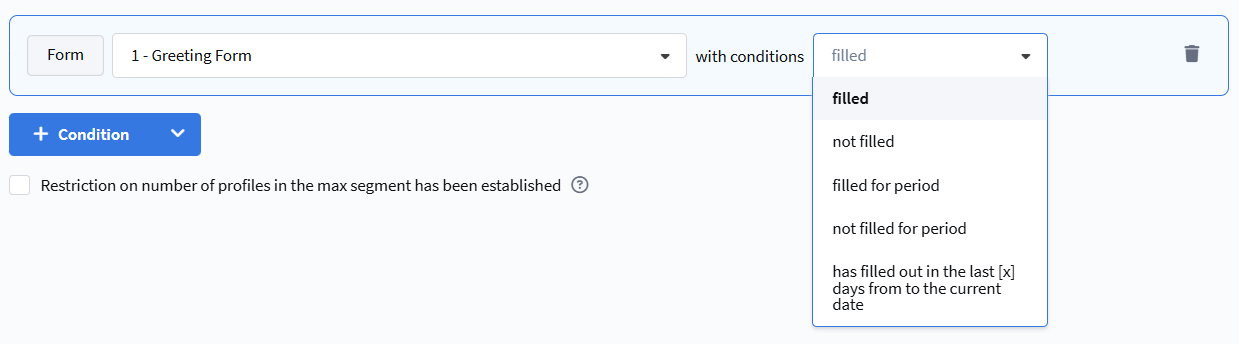
Segmentation based on interaction with forms placed on the website.
Available selection conditions:
- filled out — the subscriber has ever filled out the specified form.
- did not fill out — the subscriber has never filled out the specified form.
- filled out for the selected period — the subscriber filled out the form during the specified dates.
- did not fill out for the selected period — the subscriber did not fill out the form during the specified dates.
- filled out in the last [x] days from the current date — dynamic selection for the last X days.
Orders
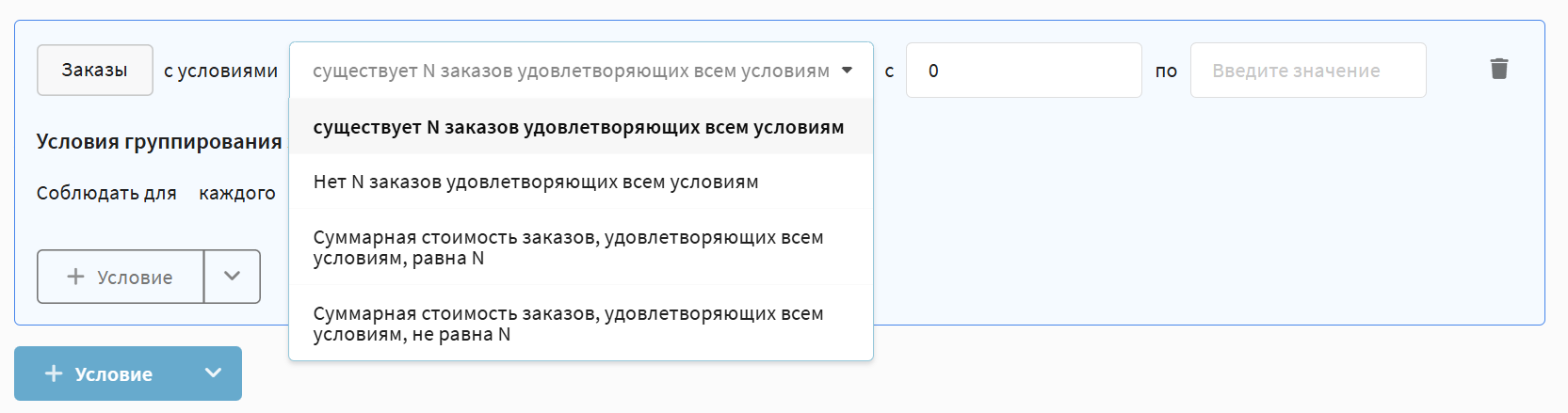
Segmentation based on orders registered in the Market module. Allows building selections by quantity, amount, average check, order composition, as well as by geography, sales channels, and statuses.
The following operators are available:
- N orders that meet all conditions exist — selection of profiles with the specified number of orders that fall under the additional conditions.
- No N orders that meet all conditions — selection of profiles that do not have the specified number of matching orders.
- Total cost of orders that meet all conditions is in range/not in range — selection of profiles whose total order amount falls within the specified numeric range
- Average check for period in range/not in range — the average cost of one order (sum of all orders / number of orders) for the specified period
- Average check for the last X days in range/not in range — the average cost of one order for the last X days
- Average purchase amount for products from segment A for period in range/not in range — the average cost of one product item from the specified product segment for the specified period
- Average purchase amount for products from segment A for the last X days in range/not in range — the average cost of one product item from segment A for the last X days
- Average check for products from segment A for period in range/not in range — the average cost of an order containing products from the specified product segment (sum of orders containing products from segment A / number of such orders)
- Average check for products from segment A for the last X days in range/not in range — the average cost of an order with products from segment A for the last X days
Order Filtering Conditions
In any of the rules described above, you can set additional order filtering conditions to specify which orders to include in the calculation.
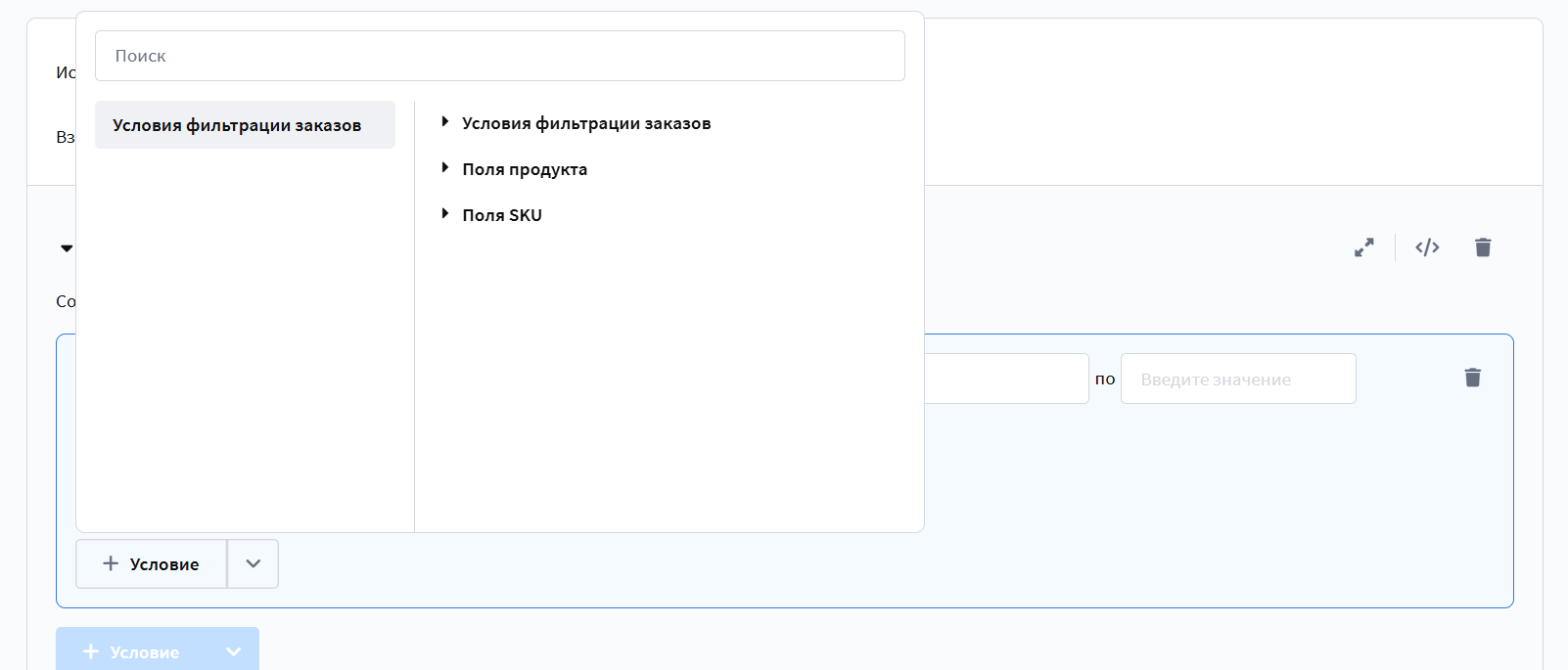
Filtering conditions are divided into three groups:
Order-level parameters: sales channel, statuses, regions, dates, order amount, delivery cost, item status and count, goods quantity, products and SKUs.
Order Filtering Conditions
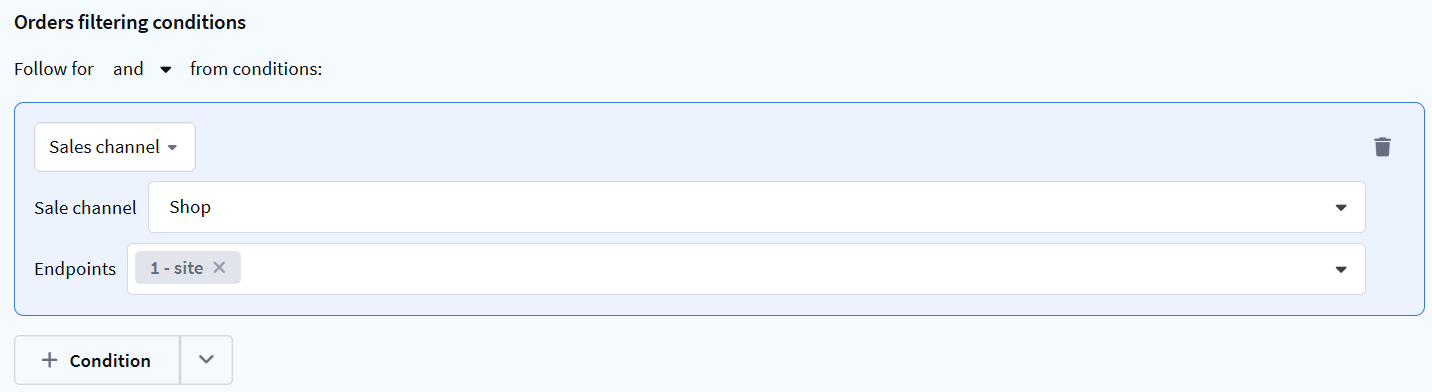
Sales Channel
Selects orders placed in the specified sales channel. Specify the channel and contact points (if empty, any is selected).
For example: "Channel: Internet, contact point: any" results in selecting orders from the internet channel in any contact.
Statuses
Selects orders with the specified statuses. Multiple selection is available: new, delivered, paid, canceled, partial refund, in transit, in process.
For example: "Statuses: Paid, Delivered" results in selecting orders that are already paid and delivered.

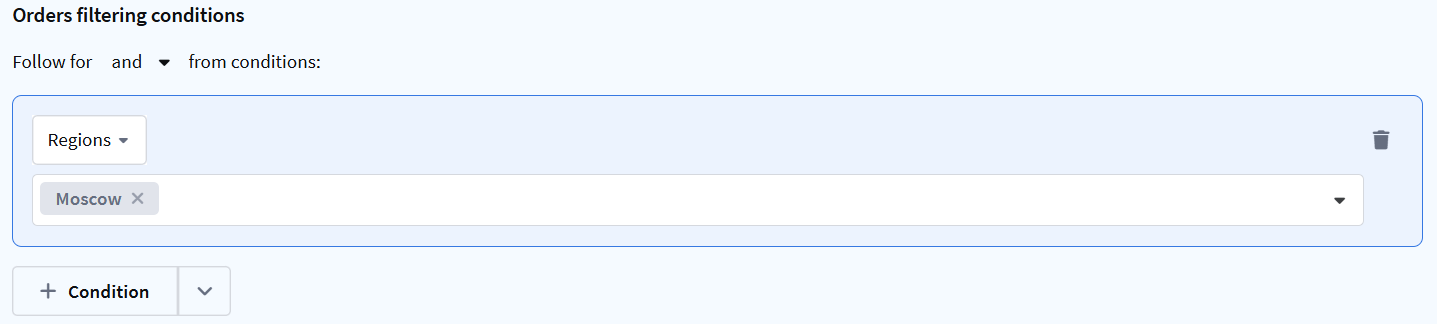
Regions
Selects orders placed in specific regions.
For example: "Regions: Moscow, Moscow Region" results in selecting orders placed in Moscow and Moscow Region.
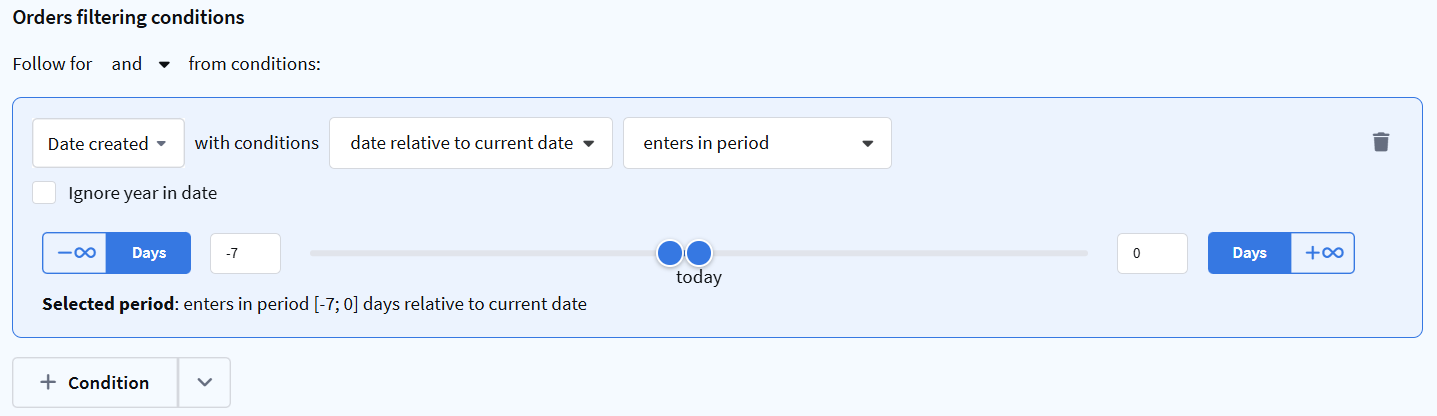
Date creation
Selects orders created within a specified time period. Operators: equals / does not equal / greater than or equal to / less than or equal to / date in range / date relative to current date. You can ignore the year in the date.
For example: "Date creation: falls within the period [-7; 0] days relative to current date" results in selecting orders created within the last 7 days.
Order Update Time
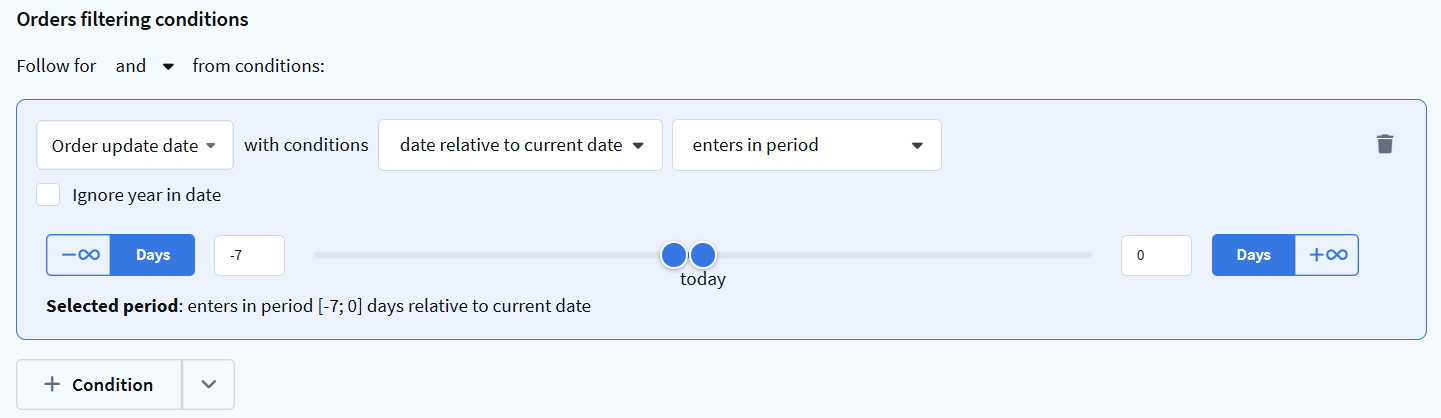
Selects orders modified within a specified time period. Operators — date.
For example: "Order Update Time: falls within the period [-7; 0] days relative to current date" results in selecting orders modified within the last 7 days.
By order amount
Selects orders with a specified cost. You can specify the calculation currency.
For example: "By order amount: from 1000 to 5000, currency: RUB" results in selecting orders worth between 1000 and 5000 rubles.

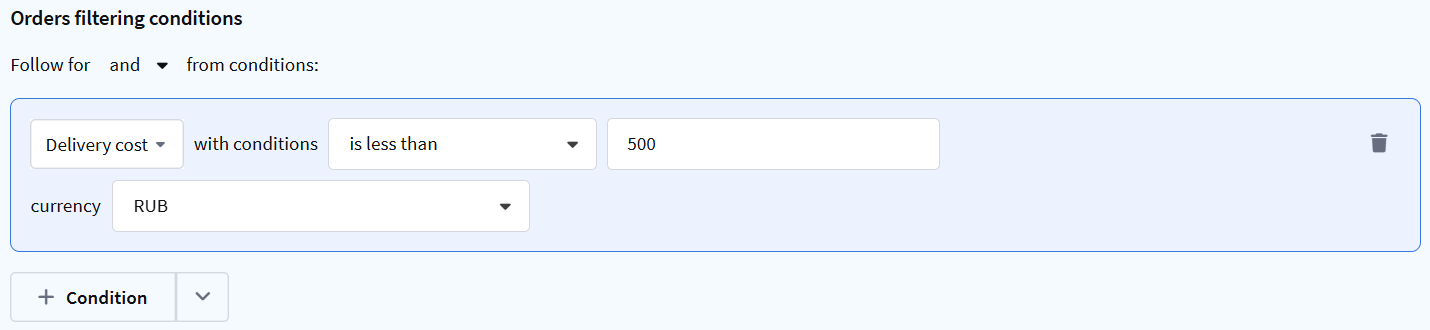
Delivery Cost
Checks the delivery cost of the order. Specify the operator, amount, and currency. Operators — numeric.
For example: "Delivery Cost: is less than 500, currency: RUB" results in selecting orders with free or cheap delivery.
Item Status
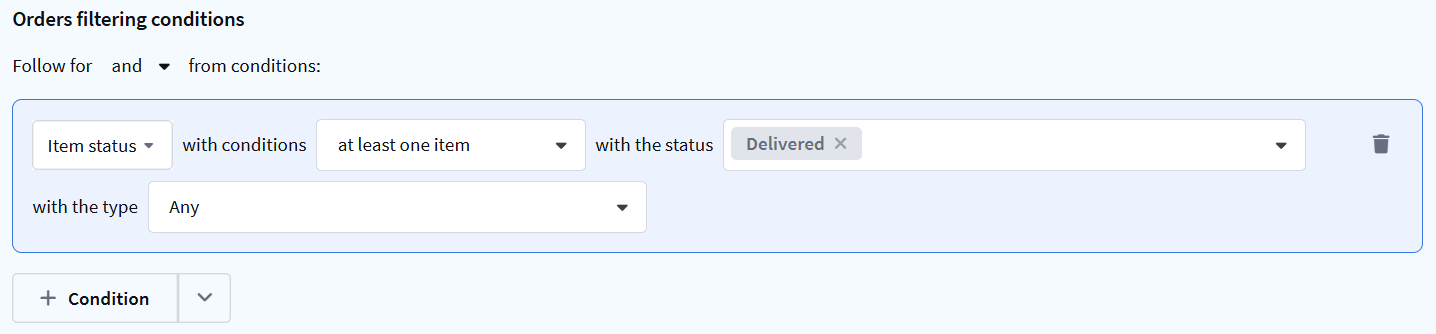
Allows selecting orders by the statuses of their items.
- Status type — the group the status belongs to: Any, Delivered, Canceled, Refund, In process.
- Status — six predefined item statuses and custom statuses created manually. Multiple selection. If no status is selected, items with any status of the selected type match.
Operators:
- at least one item — the order contains an item with the specified status.
- all items — all order items have the specified status.
- no items — none of the order items have the specified status.
For example: "Item status: at least one item, status: Delivered" results in selecting orders where at least one item is delivered.
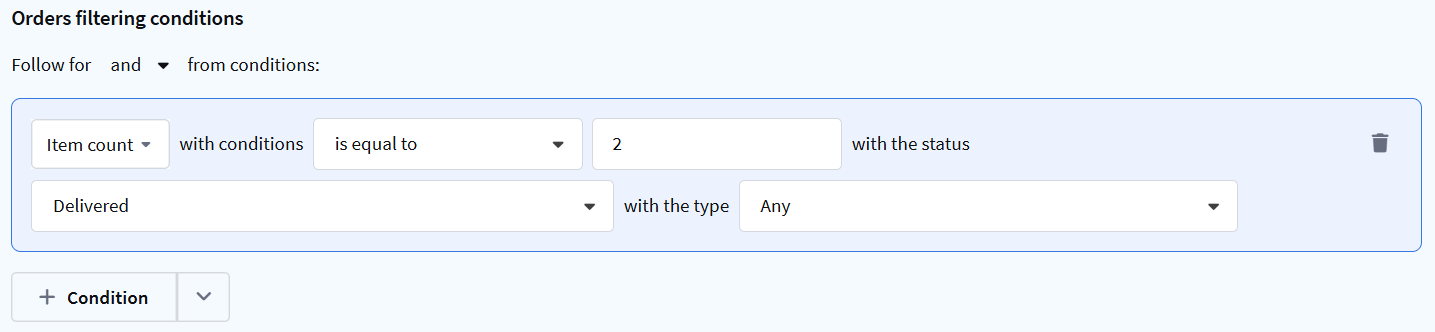
Item Count
Checks how many items in the order are in the specified status. Specify:
- operator — numeric (equals, greater than, less than, etc.)
- number — the count of items
- status — the specific item status
- type — the status group: Any, Delivered, Canceled, Refund, In process
For example: "Item Count: is equal to 2, status: Delivered, type: Any" results in selecting orders where exactly 2 items are delivered.
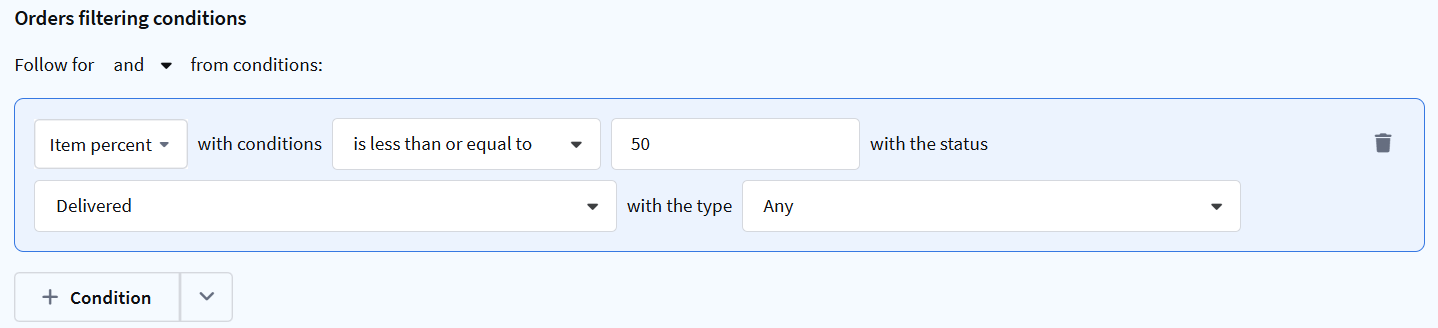
Item Percent
Checks what percentage of order items are in the specified status. Specify:
- operator — numeric (equals, greater than, less than, etc.)
- percentage — the share of items
- status — the specific item status
- type — the status group: Any, Delivered, Canceled, Refund, In process
For example: "Item Percent: is less than or equal to 50, status: Delivered, type: Any" results in selecting orders where no more than half of the items are delivered.
Quantity of Goods
Selects orders with a specified quantity of goods. First choose a product or SKU — the condition checks how many of this specific item are in the order.
Operators: equals / does not equal / greater than / less than / greater than or equal to / less than or equal to (see numeric).
Counting methods:
- in any item — any order item has the specified quantity of the goods.
- total across items — all order items combined have the specified quantity of the goods.
- in each item — each order item has the specified quantity of the goods.
- different goods in the order — the number of items in the order (1 good = 1 item).
For example: "Quantity of Goods: from 5, by [value], in any position" results in selecting orders where at least 5 units of the goods are in any position.

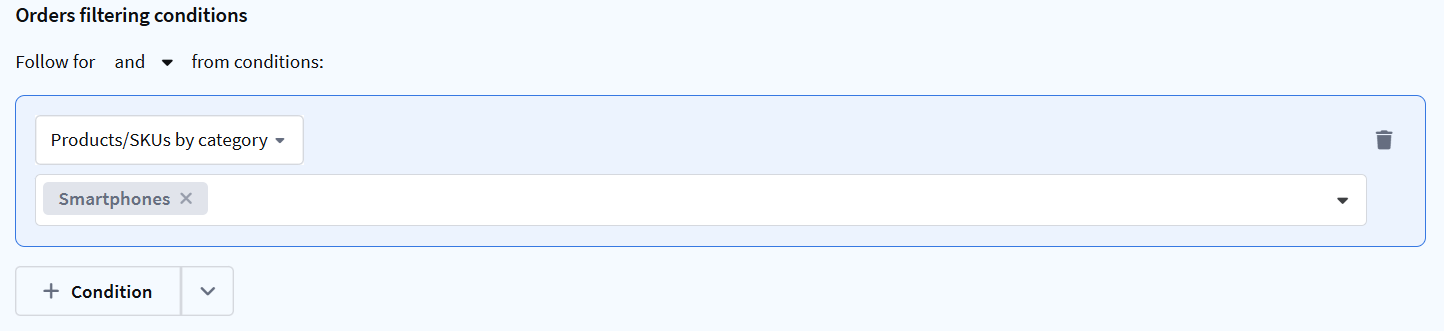
Products/SKUs by Category
Selects orders containing goods from the specified categories. You can select multiple categories.
Second-level parameters — apply to products and SKUs included in order items.
For example: "Products/SKUs by category: Smartphones" results in selecting orders that contain products from this category.
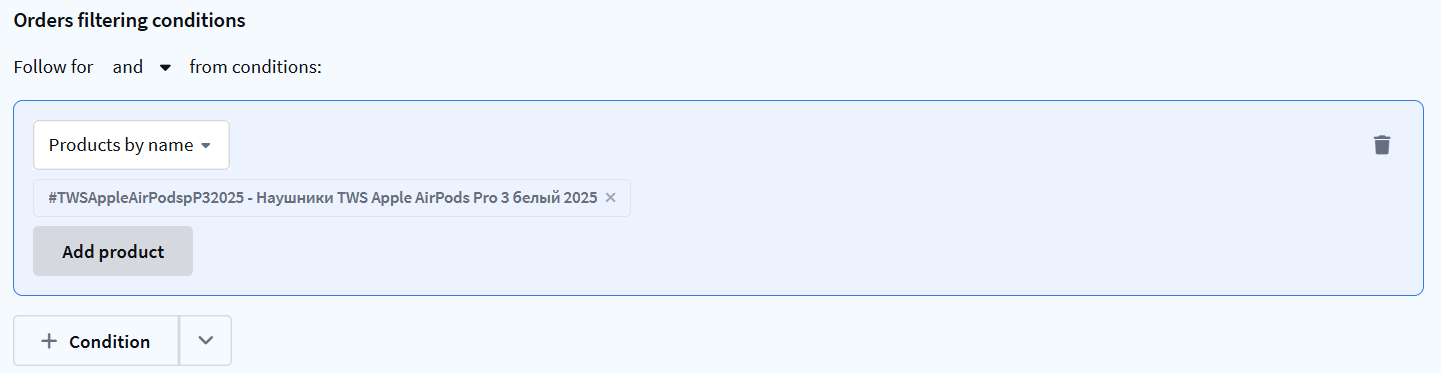
Products by Name
Selects orders containing specific products — by name or article (SKU).
For example: "Products by name: Наушники TWS Apple AirPods Pro 3 белый 2025" results in selecting orders that contain this product.
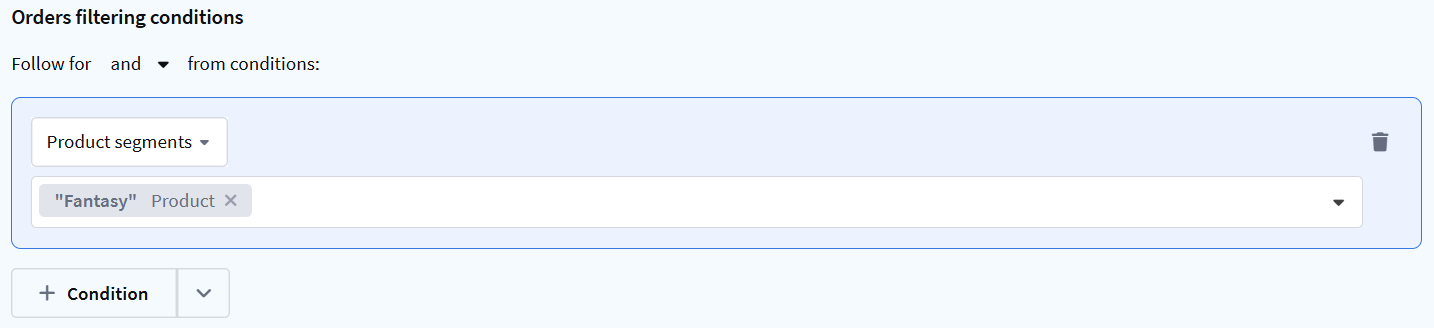
Product Segments
Selects orders containing products that belong to the specified product segment. Multiple selection is available.
For example: "Product segments: Fantasy" results in selecting orders that contain products from this segment.
Product Fields
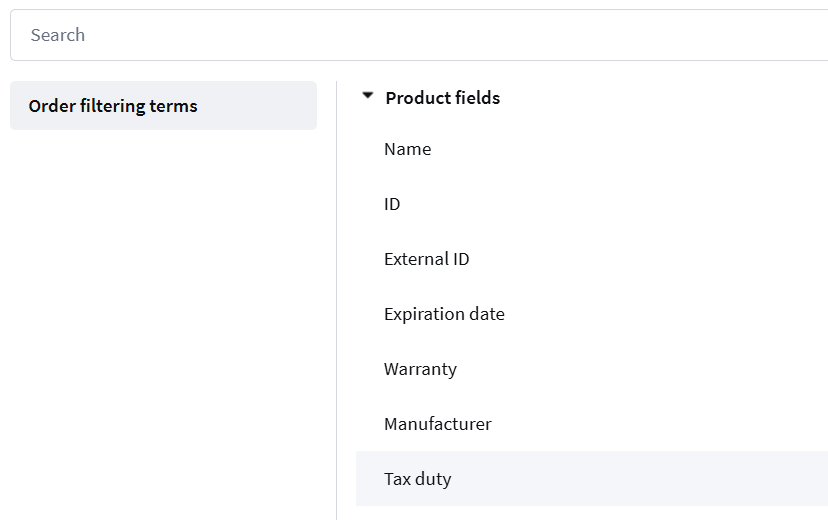
Main product fields: name, identifier, additional identifier, expiry date, warranty, manufacturer.
Product Fields
Product/SKU Name
String field — the product name. Operators — string.

Identifier
Numeric field — the unique product identifier. Operators: equals / does not equal / in list / not in list.

Additional Identifier
String field — the additional identifier (for example, a 1C article or product code). Operators: equals / does not equal / contains / does not contain / starts with / in list / not in list.

Expiration Date
Product expiry date. Operators: exists / does not exist / equals / does not equal / greater than / greater than or equal to / less than / less than or equal to / in range.

Warranty
Boolean field — whether the product has a warranty. Operators — boolean.

Manufacturer
String field — the manufacturer company name. Operators: exists / does not exist / equals / does not equal / contains / does not contain.

SKU Fields
Main SKU fields: name, identifier, additional identifier, expiry date, warranty, manufacturer.
SKU Fields
Product/SKU Name
String field — the product name. Operators — string.
Identifier
Numeric field — the unique product identifier. Operators: equals / does not equal / in list / not in list.
Additional Identifier
String field — the additional identifier (for example, a 1C article or product code). Operators: equals / does not equal / contains / does not contain / starts with / in list / not in list.
Expiration Date
Product expiry date. Operators: exists / does not exist / equals / does not equal / greater than / greater than or equal to / less than / less than or equal to / in range.
Warranty
Boolean field — whether the product has a warranty. Operators — boolean.
Manufacturer
String field — the manufacturer company name. Operators: exists / does not exist / equals / does not equal / contains / does not contain.
Additional Fields
Segmentation is also available for additional fields of orders, SKUs, and products.
Additional Fields
Operators depend on the field data type:
- integer — equals / does not equal / greater than / greater than or equal to / less than / less than or equal to / in range
- decimal — equals / does not equal / greater than / greater than or equal to / less than / less than or equal to / in range
- string — equals / does not equal / contains / does not contain / in list / not in list
- boolean — True / False
- list — exists / does not exist / equals / does not equal
- date — equals / does not equal / greater than or equal to / less than or equal to / date in range / date relative to current date
Additional fields are displayed in the corresponding condition sections. For example:
- Additional field "Color" for SKU — in the "SKU Fields" section
- Additional field "Tax duty" for products — in the "Product Fields" section
Goal/Pixel Behavior
Goal Achieved
Segmentation based on subscriber actions on external resources (websites, apps) tracked using Altcraft pixels.
Available operators:
- Exists / Does not exist — checks for the presence or absence of goal achievements.
- Total goal value — calculates the sum of the cost of achieved goals. Operators: greater than / less than / equal to. Can be specified for all time, for a period, or for the last [x] days.

- Average goal value — calculates the arithmetic mean of the cost of achieved goals. Operators: greater than / less than / equal to. Can be specified for all time, for a period, or for the last [x] days.

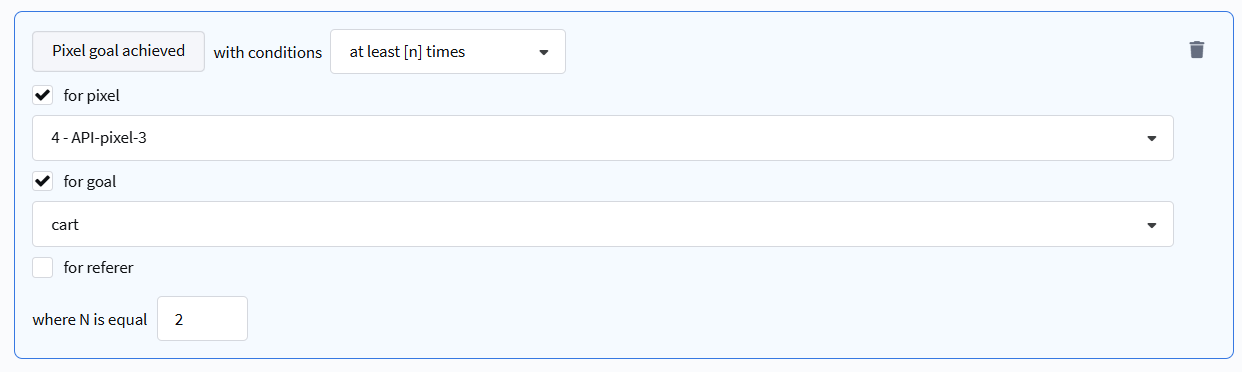
- At least [n] times / Not happened — selection based on the number and frequency of actions performed. Can specify goal, pixel, or referer (traffic source).
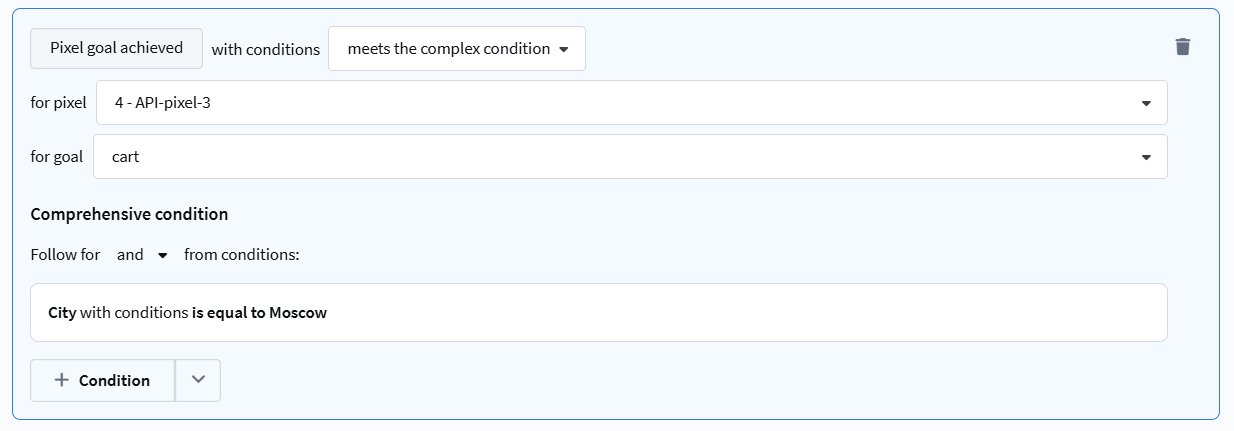
- Meets / Does not meet complex condition — extended selection based on additional data passed when registering a goal via API.
Rules can be configured for selection by:
- Goal value (cost)
- Data from the
pixel_dataobject (string, numeric, date, boolean) - Profile device and geo-data (browser, OS, country, city, etc.)
- Sent messages and promo codes
- UTM labels
- URL Referer and Origin
- Profile order data
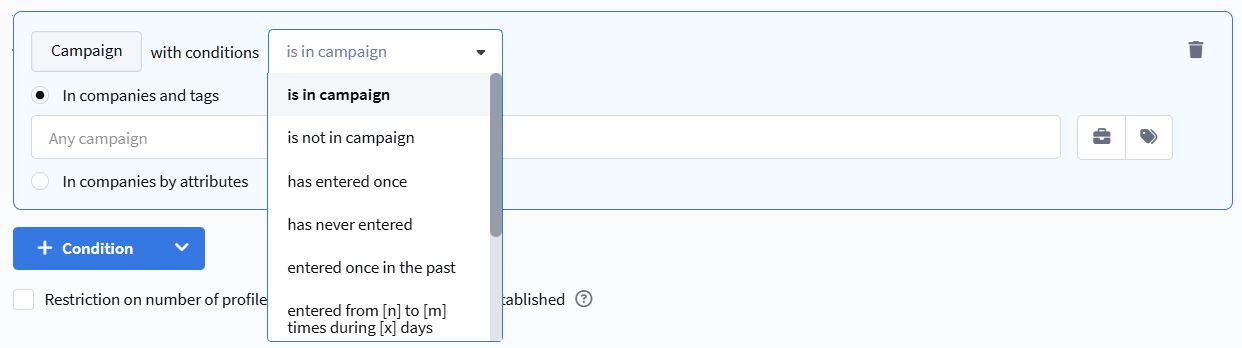
Campaigns
Segmentation by participation in a campaign.
- currently in campaign — the profile is currently in the campaign.
- not in campaign — the profile is currently not in the campaign.
- entered at least once — the profile has ever been in the campaign.
- never entered — the profile has never been in the campaign.
- currently not, but entered at least once — the profile is currently not in the campaign but was previously.
- entered at least [n] times in the last [x] days — the profile entered the campaign the specified number of times in the last X days.
- entered at least [n] times in period — the profile entered the campaign the specified number of times in the selected period.
- never entered in the last [x] days — the profile has not entered the campaign in the last X days.
- never entered in period — the profile has not entered the campaign in the selected period.
Control Group / Test Group
Segmentation by participation in test or local control groups.
Available operators:
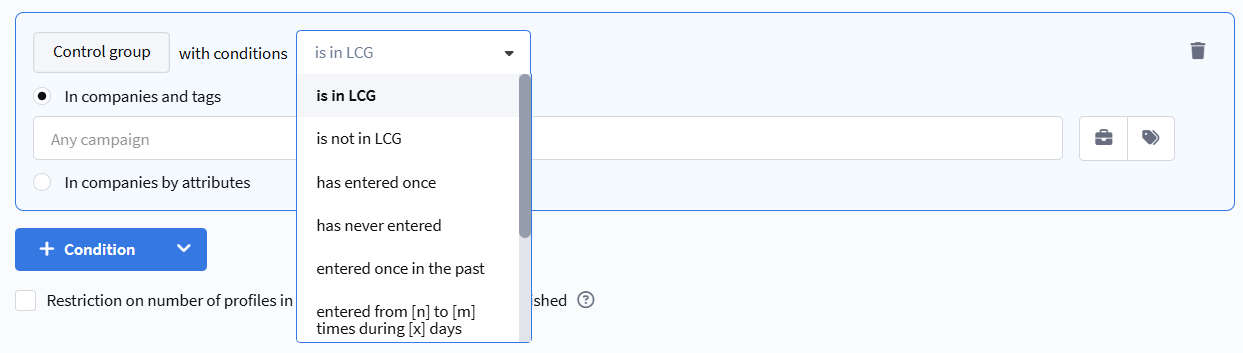
- is in GCG — the profile is currently in the global control group.
- is not in GCG — the profile is currently not in the global control group.
- has entered once — the profile has ever been in the control group.
- has never entered — the profile has never been in the control group.
- entered once in the past — the profile is currently not in the control group but was previously.
- entered at least [n] times during [x] days — the profile entered the control group the specified number of times in the last X days.
- entered at least [n] times during period — the profile entered the control group the specified number of times in the selected period.
- never entered during [x] days — the profile has not entered the control group in the last X days.
- never entered during period — the profile has not entered the control group in the selected period.